requestNotificationAccess
requestNotificationAccess action prompts users to grant permission for the app to send notifications to their device, enabling personalized alerts and updates, enhancing user engagement, and ensuring timely delivery of relevant information within the application.
Properties
| Property | Type | Description |
|---|---|---|
| onAuthorized | action | Execute an Action when notification permission has been granted |
| onDenied | action | Execute an Action when notification permission has been rejected |
Example
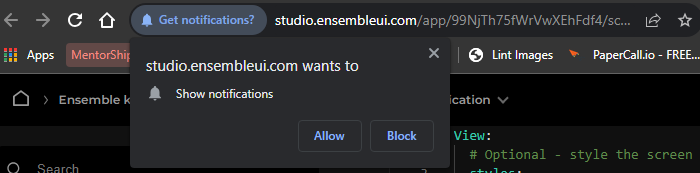
The first important thing to consider while implementing notifications is to make sure that its authorized by user itself. Thus first step is to ensure complete access to ensemble. let us see how it works
View:
  header:
  title: "Action: showNotification"

  # Specify the body of the screen
  body:
    Column:
    styles:
      padding: 24
      gap: 8
    children:
      - Text:
          text: Hi there!
      - Button:
          label: Checkout Ensemble Kitchen Sink
          onTap:
              requestNotificationAccess:
                onAuthorized:
                    showNotification:
                      title: A Notification
                      body: As you can see me working here
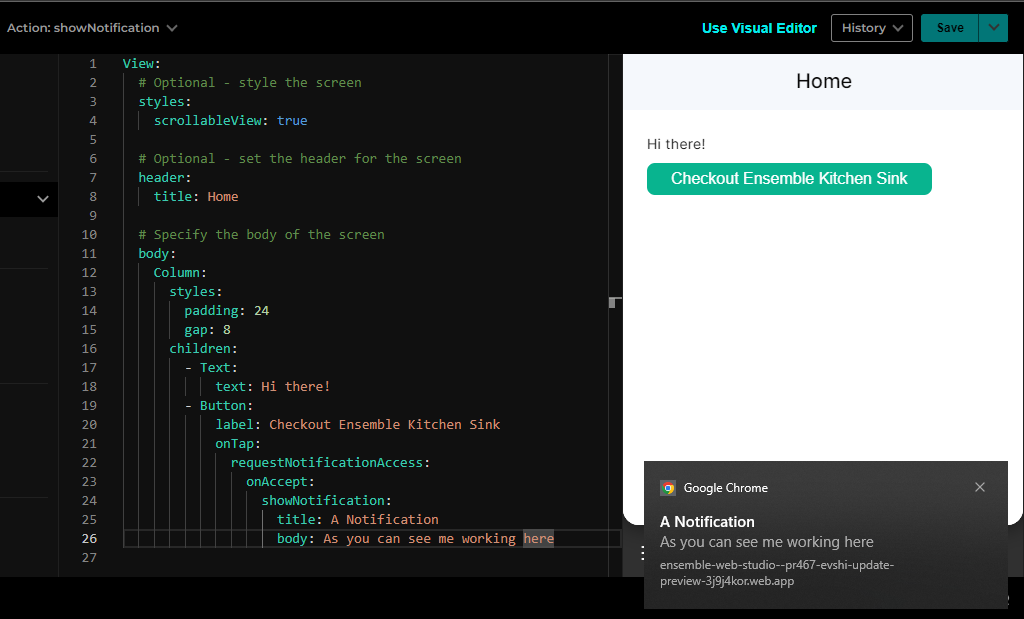
When user clicks on button browser pop-up asks for permission and as you allow it notification can be seen at bottom-right corner of screen. You can refer complete example here .
Output
Last updated on